Lunavect
Lunavect app icon

Lunavect

See which Claude Code or Codex session is waiting for you. Every agent session on your Mac with its live state, right in the menu bar, next to both tools' weekly and five-hour limits with reset times.

Free and open source · macOS 14 or later · Apple silicon and Intel · Signed and notarized

Lunavect in the macOS menu bar: the session panel lists nine Claude Code and Codex tasks, eight working and one waiting for permission, beside a desktop widget with weekly usage limits and a week of activity

The real app with fictional sessions and data.

Know which agent needs you

Every Claude Code and Codex task on your Mac in one panel, with its live state: working, thinking, waiting for permission or input, or done. Search, filter, pin and hide sessions. Live Terminal and iTerm2 sessions open in their own tab.
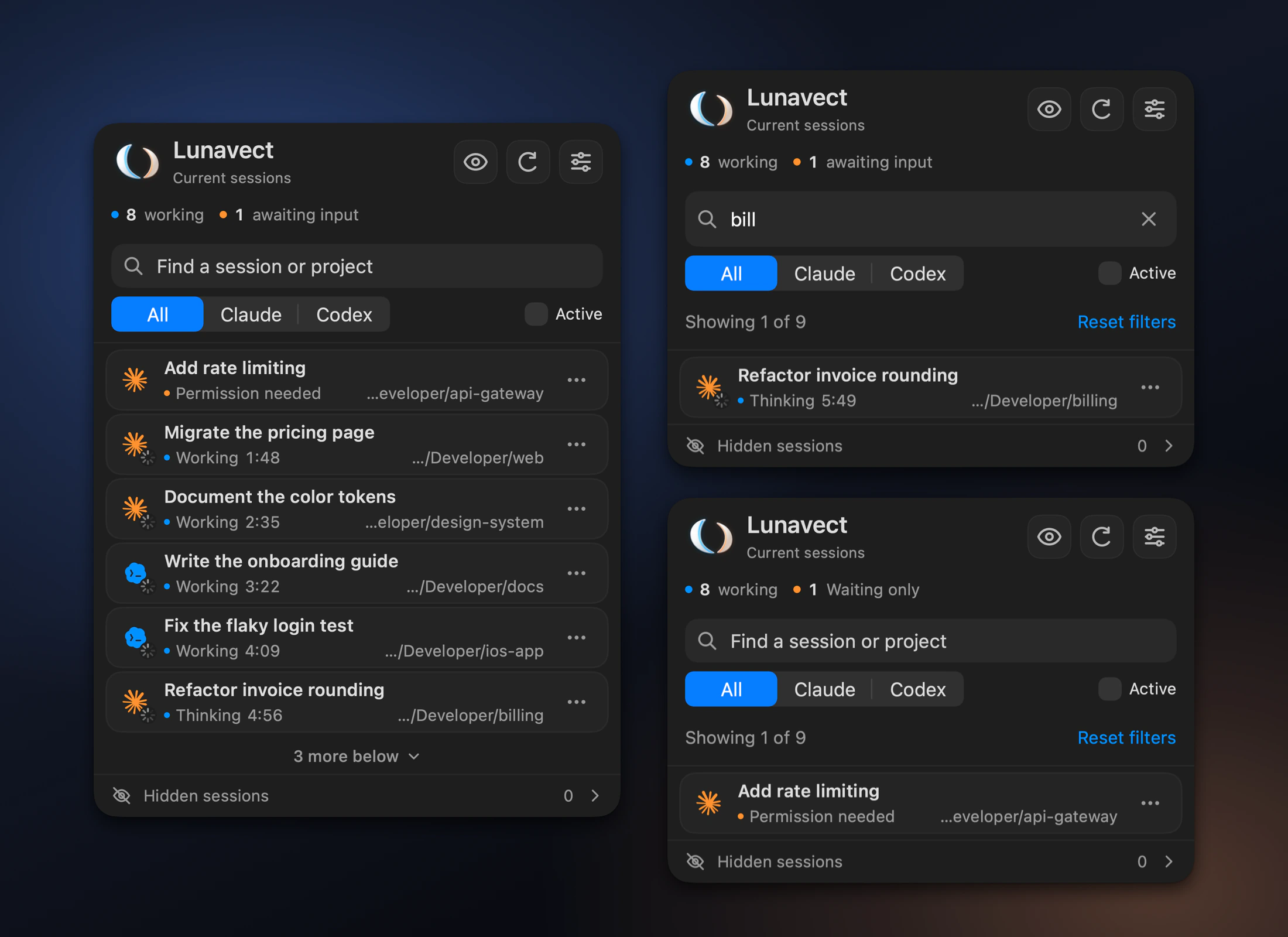
Three Lunavect session panels: all nine tasks, a search result and the waiting filter

Background work, told once

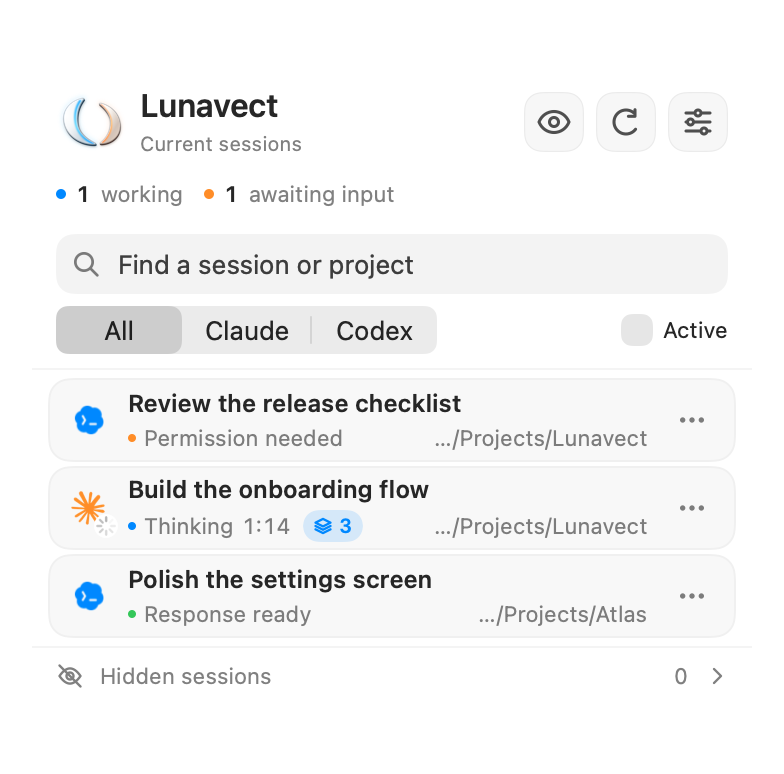
Claude's background commands, subagents and monitors appear as a small count on the session. A reply that leaves them running stays in the background, and one notification arrives when the work is done. If a turn fails, Lunavect says why: a reached limit and when it returns, a lost connection or a sign-in issue.

Lunavect session panel: a Claude task thinking with three background tasks, a Codex task waiting for permission and a ready response

Usage limits at a glance

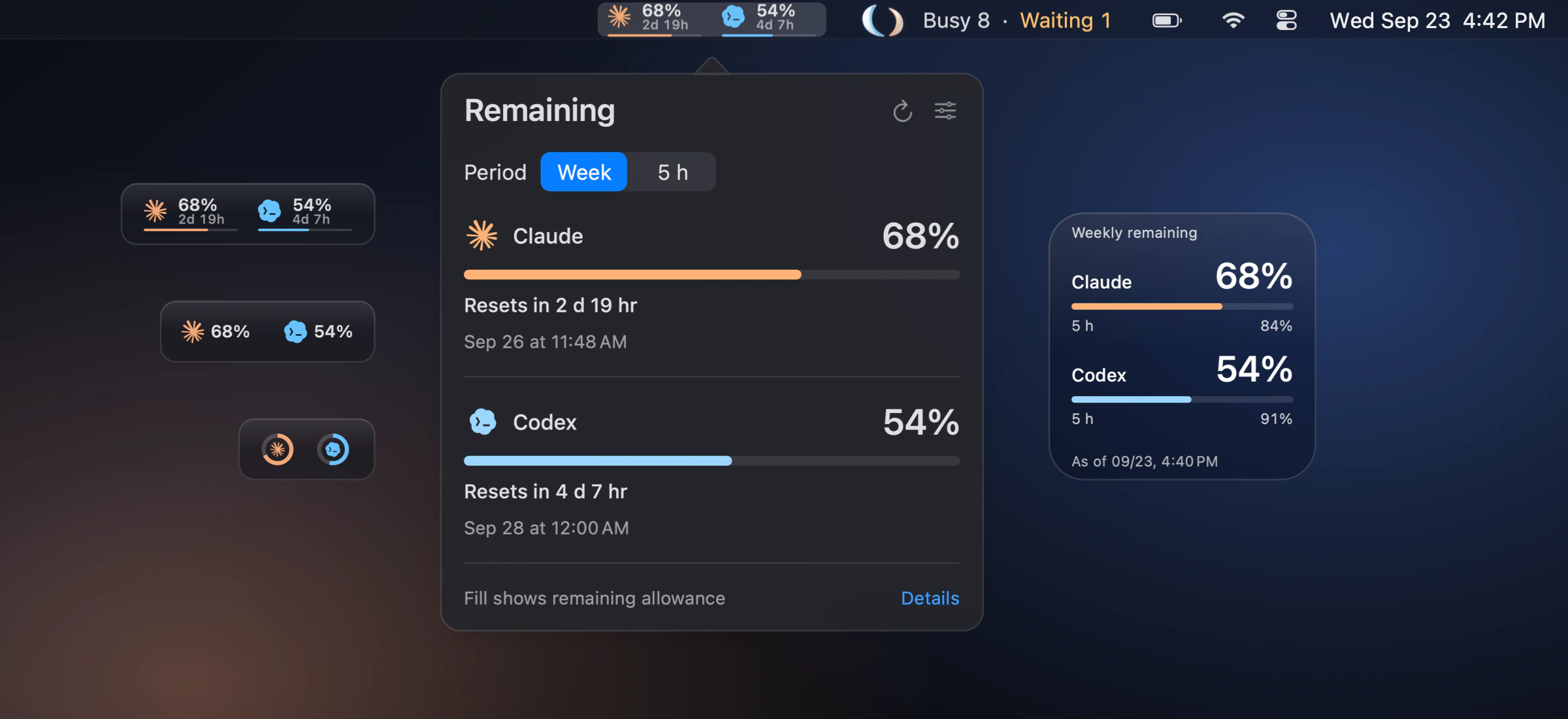
Weekly and five-hour allowances for Claude and Codex with their reset times, in the menu bar as bars, percentages or rings. Missing or expired values are marked as unavailable, never guessed.

Claude and Codex weekly usage limits in the menu bar, the Remaining popover and a desktop widget

Desktop widgets

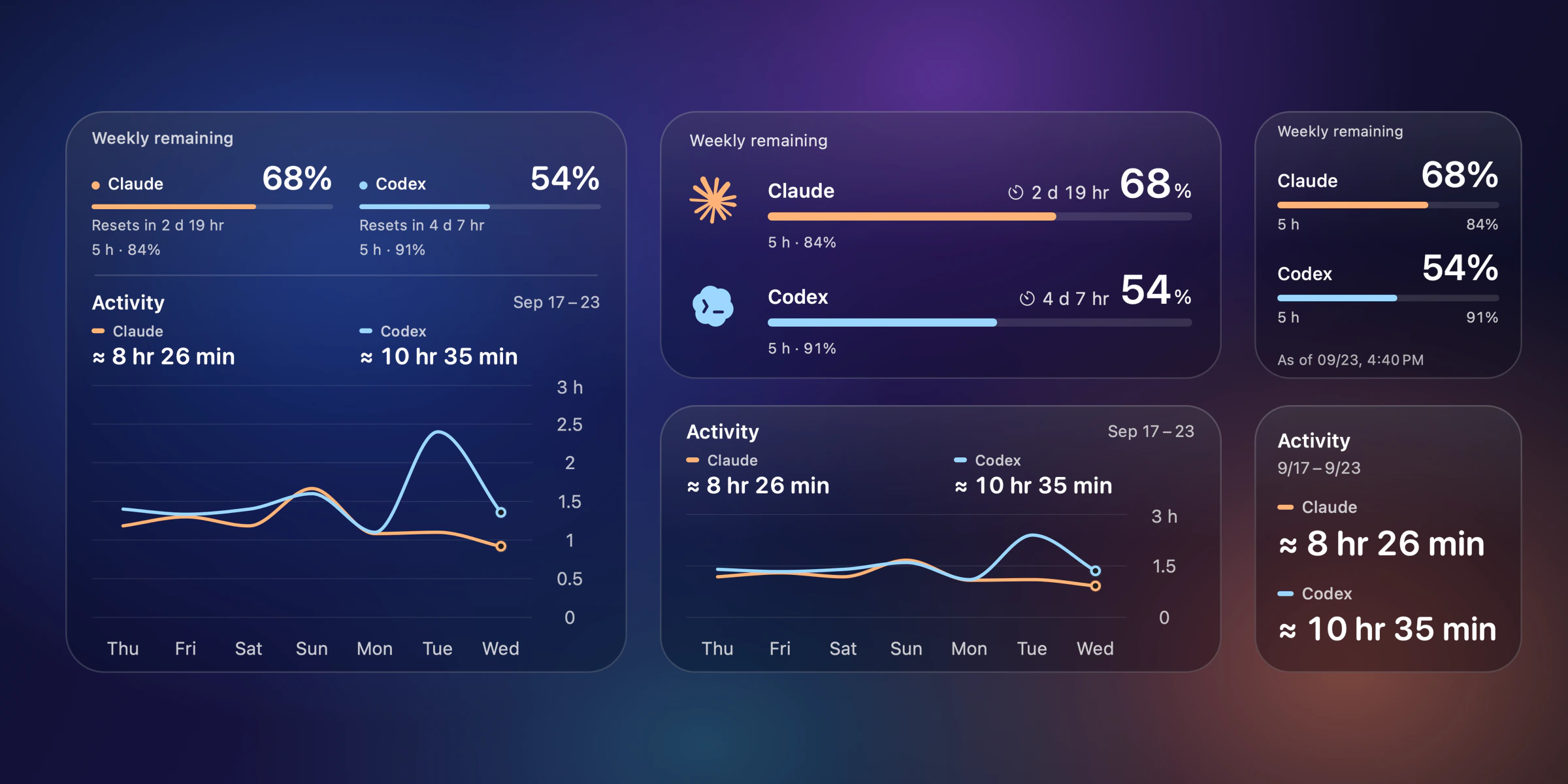
Limits, activity or both in small, medium and large sizes, on a solid background or adjustable glass. Widgets read saved data, so they keep working while the app is closed.

Lunavect WidgetKit widgets on glass: overview, limits and activity

See where your time goes

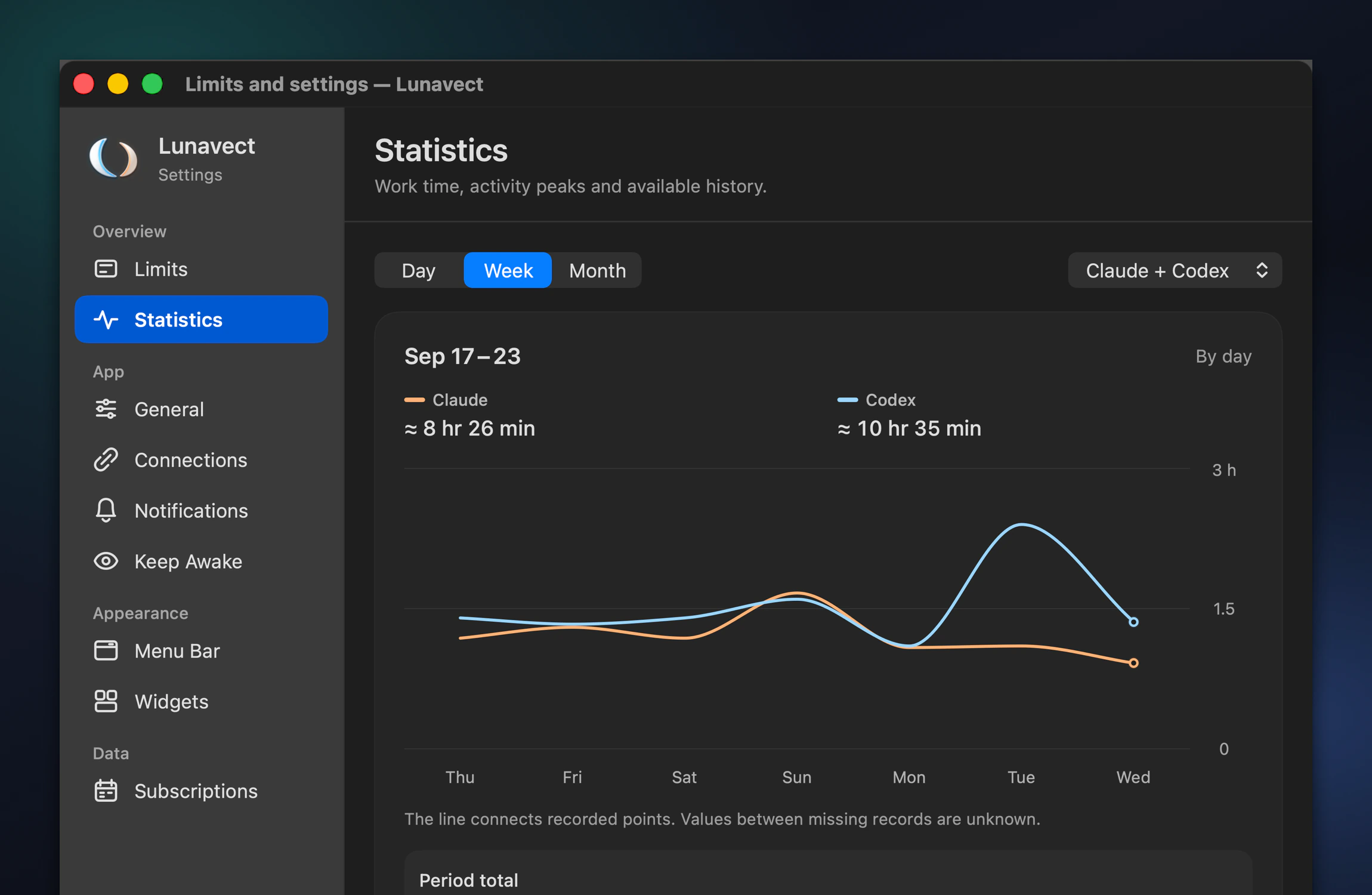
Working time by day, week and month for each provider, with project and session breakdowns. Recovered history is marked as approximate, and overlapping sessions are counted once.

Lunavect Statistics settings with a week of Claude and Codex working time

Make it yours

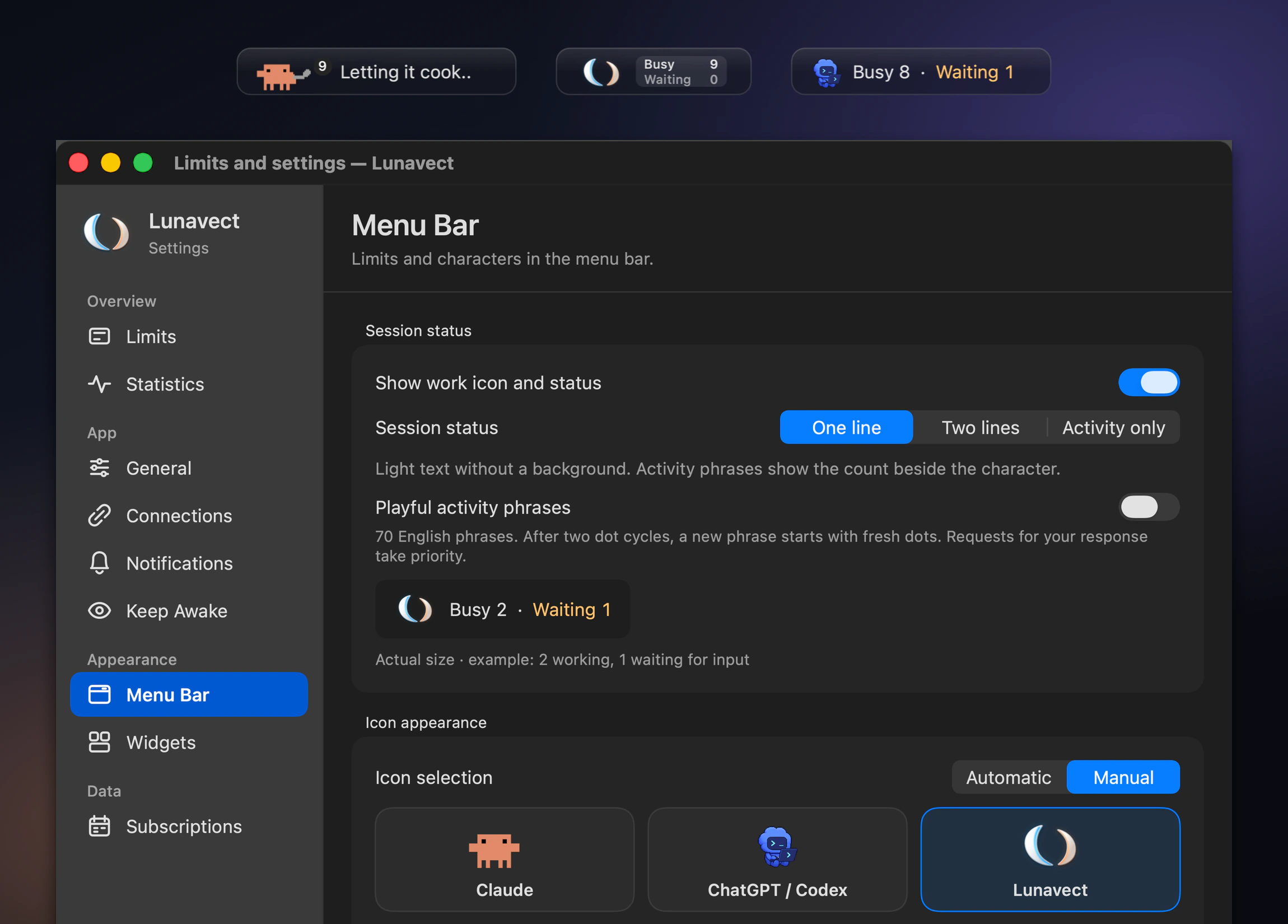
Pick the Claude, Codex or Lunavect character, a one-line, two-line or activity-only status, and playful activity phrases while your agents work.

Menu bar status styles and the Menu Bar settings with character selection

Also included: notifications when a response is ready, an approval or reply is needed, a turn fails or a limit runs low, Keep Awake while agents work, light and dark appearance, and six languages: English, Russian, German, Spanish, French and Simplified Chinese.

Install

brew tap lovach/lunavect https://github.com/lovach/Lunavect
brew install --cask lovach/lunavect/lunavect

Or download the latest DMG, open it and drag Lunavect to Applications. Then choose Connect Claude or Connect Codex. Claude needs Claude Code CLI; Claude Desktop alone is not enough. Codex needs the official Codex app or CLI. Sign-in stays with the official clients, and no API key is needed.

Setup, updates and uninstall · Compatibility and known limitations · All documentation

Questions

Can I use only Claude Code or only Codex?

Yes. Connect either provider or both. Claude needs Claude Code CLI; Claude Desktop alone is not enough.

Do I need an account or an API key?

No Lunavect account or pasted API key is required. Sign-in stays with the official clients, and the available allowances depend on your plan.

Why is a limit unavailable or a widget behind the app?

Limits need fresh data from the client, and missing or expired values are shown as unavailable. Widgets read saved data and refresh when macOS schedules them.

Is activity the same as token usage?

No. It measures working intervals. Recovered history is marked ≈, and overlapping sessions are counted once in the combined total.

Does Lunavect send my sessions anywhere?

No. Lunavect sends no session data or app usage statistics to us. Session titles, project paths and activity history stay on your Mac. There is no telemetry or Lunavect account. We use only GitHub's download and repository traffic statistics; update checks go to GitHub without session data. Privacy and permissions

Guides: Claude Code usage limits · Codex usage limits · notifications when an agent finishes · monitoring many sessions