Lunavect
How to check Claude Code usage limits on a Mac
Claude Pro and Max plans have two usage limits in Claude Code: a five-hour session limit that resets five hours after the session starts, and weekly limits that reset at a fixed time each week (for all models, and separately for some models on some plans). You can see both in three places:
- In Claude Code: run
/usage. It shows the current session and the current week with the time each resets. - On claude.ai: open Settings → Usage for progress bars of the session and weekly limits.
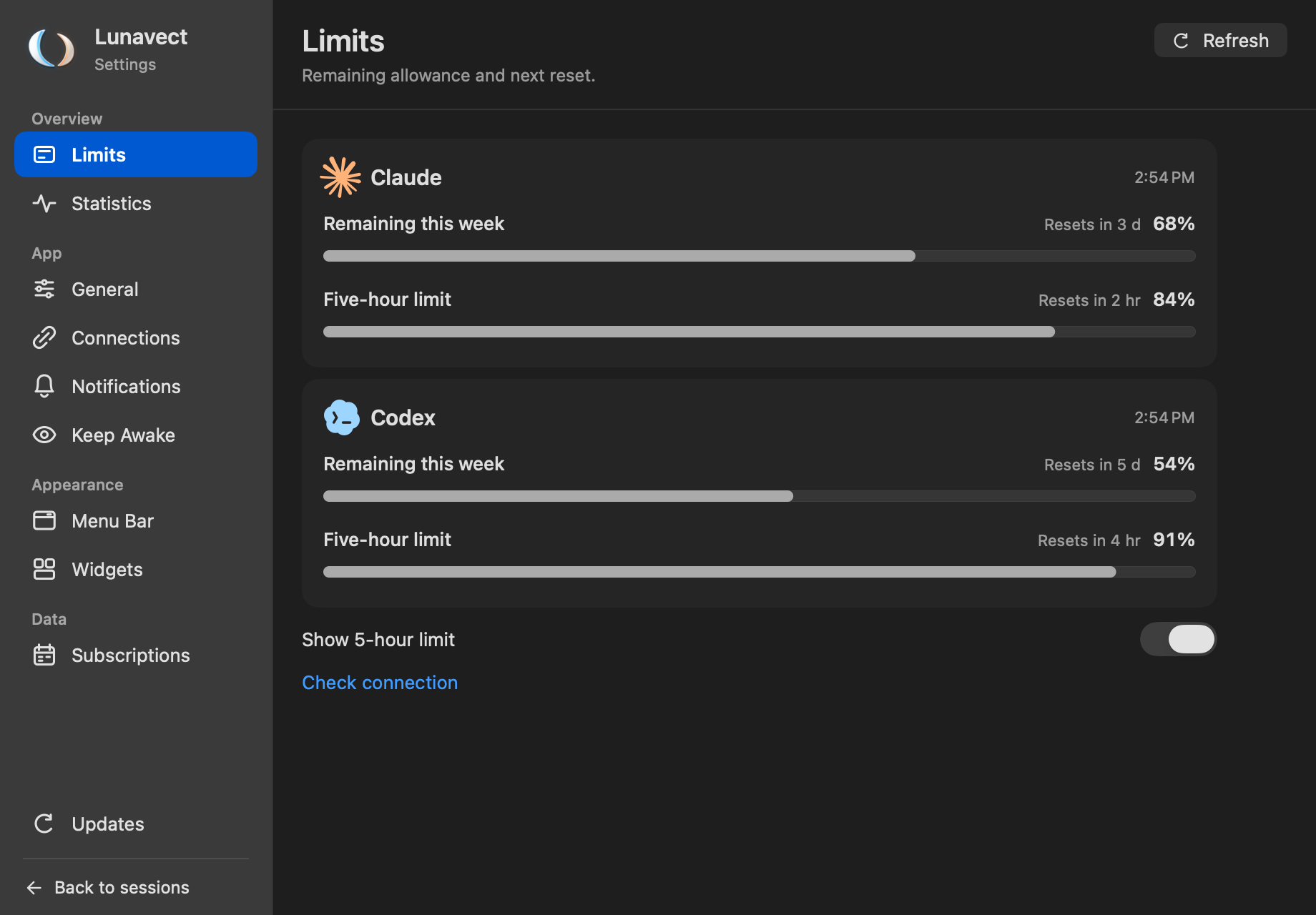
- In your Mac menu bar, all the time: Lunavect shows how much of both limits is left, next to your running Claude Code sessions.
Why /usage alone is not enough
/usage answers the question only when you stop to ask it, inside one terminal. When several sessions run at once, the limit you are closest to is the one you did not check. Claude Code also passes the same numbers to a custom status line as rate_limits.five_hour and rate_limits.seven_day (with used_percentage and resets_at) — but only for Pro and Max subscribers and only after the first response of a session, and only in that terminal.
See your Claude limits in the menu bar with Lunavect
Lunavect is a free, open-source menu bar app for Claude Code and Codex. After you connect Claude, it reads the local status line and Claude Code’s own /usage screen, so no account, token or API key is involved.
- Menu bar: weekly and five-hour allowances as bars, percentages or rings, with a reset countdown.
- Details: click the indicator for exact reset dates of every window.
- Widgets: a desktop widget keeps the numbers visible when the app is in the background.
- Alerts: one notification when an allowance drops below 5, 10, 20 or 25% (10% by default), and another when it comes back at the reset.
- Honest data: a value that is missing or too old is marked as unavailable or saved, never guessed.
Download Lunavect · Install with Homebrew · How limits are read
Common questions
What happens when I reach the limit? Claude Code stops the turn with a message that the limit is reached. Lunavect names the reason on the session and in an Errors notification, with the time the limit becomes available again when it knows the exhausted window.
Does Lunavect need Claude Desktop? No. Claude limits come from Claude Code CLI; Claude Desktop alone is not enough.
Does it work with the Claude API? API keys are billed per use and have no five-hour or weekly plan limit; Lunavect shows plan limits for Pro and Max.
Is my data sent anywhere? No. Lunavect reads local client data and keeps it on your Mac. See privacy.