Lunavect uses Sparkle for signed updates distributed through GitHub Releases. The dependency version is pinned in Package.swift and project.yml.
Use Settings → Updates to check for updates or change automatic checks and downloads. A ready update appears as an actionable row in the session panel and in the menu-bar tooltip and accessibility label. No update dot is drawn over the character. Automatic installation is scheduled for an ordinary app quit; users can also apply it through the updater interface. Lunavect does not terminate Claude or Codex to install its own update.
New profiles enable update checks and leave automatic downloads/installation off. Upgrades retain the previous Sparkle choices, including 0.1.0 profiles that enabled automatic installation at ordinary quit. This difference is intentional preference preservation; installing an update does not reset existing users to the new-profile defaults.
Update requests go to GitHub and its download infrastructure. Session data and activity history are not attached. Builds without a valid update feed and public key do not start the updater. See Privacy and permissions.
The current public release is 0.2.4 (191). It improves cancellable Terminal/IDE navigation, local-file recovery and quota freshness, and bundles companion version 0.1.1. Reinstall the editor companions from Settings → Connections to receive their fixes. See IDE setup and compatibility for supported surfaces and remaining verification limits. Settings and client connections are retained.
For a new Lunavect release, preserve its signing identity, bundle IDs, App Group, update feed and Ed25519 update key. Create a new key only for a separate fork or a planned key migration, not for an ordinary update.
build.sh numbers local builds above the installed copy, and Sparkle offers only a higher build.A local build or successful packaging command does not establish public download or upgrade behavior. Keep the older public artifacts available at their original URLs.
Public build configuration is in Config/Distribution.xcconfig and Config/Updates.xcconfig. Private signing and update keys stay outside the repository.
First refresh release tags and download the currently published appcast into a private evidence directory. Review that baseline; the tools do not fetch it automatically. Use a new version/tag and a build and marketing version above every published entry. For example, after replacing these illustrative values with the intended release:
./scripts/distribute.sh archive 0.2.4 191 /path/to/published-appcast.xml
./scripts/distribute.sh submit 0.2.4 191
# After Apple's notarization completes:
./scripts/distribute.sh export 0.2.4 191
Before invoking Xcode, archive rejects a dirty source tree, a shallow clone, an existing local vVERSION tag, a build or marketing version that does not exceed the supplied appcast, and a build that does not exceed a Lunavect installed in ~/Applications or /Applications. Missing or malformed published version fields are rejected. Build-only releases that reuse a marketing version are deliberately unsupported by this workflow. Refresh tags and the appcast before this check: it cannot detect a remote publication missing from those local inputs. It begins a required-clean distribution manifest and finalizes it against the archived app only after the resource and helper-policy checks pass. submit and export refuse an archive unless that manifest is complete, names the same version and build, and still matches the archived app’s hash; after a failed archive, use a new build number. Packaging checks the actual app build and marketing version against the appcast again before reading a signing key or creating output.
The distribution workflow uses the Apple account configured in Xcode. Export reports when notarization has not yet completed. A completed export contains the app’s notarization ticket.
The signed macOS App Group is <TEAM_ID>.com.lunavect.shared; its prefix must match the signing team. Bundle IDs remain com.weekleft.app and com.weekleft.app.widget. The app does not use this group for Keychain access. See Apple’s App Group documentation.
The local install script can migrate Lunavect’s shared files when moving from a development App Group to the distribution group. It preserves source files and does not overwrite conflicting destination data. Ordinary public updates keep the same team and container. This local migration script is not a claim that every clean-install or upgrade path has been tested.
Resolve the pinned dependencies with swift package resolve. Sparkle tools are available in .build/artifacts/sparkle/Sparkle/bin/.
Use Sparkle’s generate_keys to create your own Ed25519 key. Store the private key in Keychain or a protected location outside the repository. If packaging uses a key file, export it with the documented generate_keys -x option and restrict access to that file. Never put its contents in a commit or build log.
Set your own repository and public key in the build configuration. These placeholders are for a fork and must be replaced:
// $() preserves the URL slashes in xcconfig syntax.
LUNAVECT_UPDATE_FEED_URL = https:/$()/github.com/OWNER/REPOSITORY/releases/latest/download/appcast.xml
LUNAVECT_UPDATE_PUBLIC_KEY = BASE64_PUBLIC_ED25519_KEY
Keep the public key consistent with the private key used to sign updates. If you raise the minimum macOS version, retain earlier compatible entries in the appcast according to Sparkle’s publishing guide.
Use the exported, notarized app and a new output directory:
python3 scripts/package-update.py \
  --app '/path/to/Lunavect.app' \
  --output '/path/to/new-release-assets' \
  --key-file '/private/location/sparkle.key' \
  --previous-appcast '/path/to/published-appcast.xml'
The script checks release configuration, codesign, Gatekeeper and the notarization ticket. It creates the ZIP and signed appcast, then checks signatures and the public key in the app. It does not publish files. Do not edit the appcast after signing.
Keep packaging dependencies and output outside the repository:
python3 -m venv /path/outside-repository/dmg-venv
/path/outside-repository/dmg-venv/bin/pip install -r scripts/dmg/requirements.txt
/path/outside-repository/dmg-venv/bin/python scripts/package-dmg.py \
  --app '/path/to/Notarized-191/Lunavect.app' \
  --output '/path/to/release-assets/Lunavect-0.2.4.dmg'
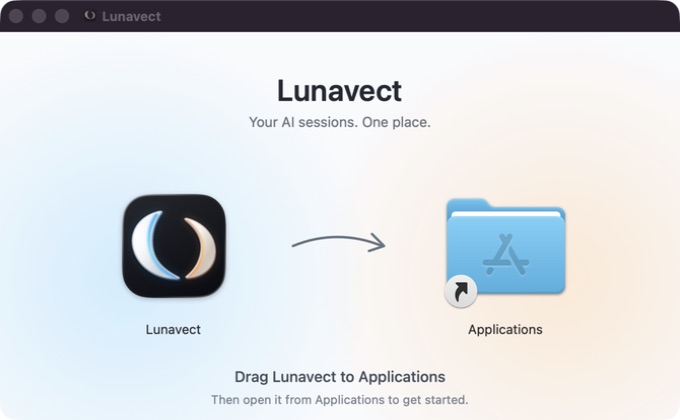
Replace these paths and version numbers with your exported app and intended output. The DMG is a read-only image containing the app and an Applications link. Its Finder layout uses scripts/dmg/layout.json; the AppKit background renderer provides 1× and 2× artwork. The pinned dmgbuild dependencies write the layout metadata without automating Finder. See the installer screenshot.
The packaging script verifies the app before packaging and inside the mounted image, and checks the background, window geometry, icon positions and visible files. Do not set hide_extensions on the signed app: changing its Finder metadata can invalidate strict signature checks.
The app’s signature and notarization do not mean this script separately signs the DMG. The updater uses the ZIP and appcast, not the DMG. A cosmetic DMG revision can keep the same app version, but should have a distinct filename and checksum so existing release URLs retain their contents.
Compare the downloaded DMG’s SHA-256 with the checksum published for that exact installer. Mount it and check the app:
codesign --verify --deep --strict '/Volumes/Lunavect/Lunavect.app'
spctl --assess --type execute '/Volumes/Lunavect/Lunavect.app'
xcrun stapler validate '/Volumes/Lunavect/Lunavect.app'
Use the actual mounted volume path. Then check installation, launch, retained settings, fresh client events and allowances. Widget placement and refresh require their own desktop check.
The check and packaging tools retire their own temporary app registrations before deleting the bundles, then restore the installed host. Packaging also retires its exported source after verification, including failures. Xcode can remove its intermediate app before cleanup; the distribution workflow briefly restores that exact known path from its verified archive to unregister the stale record. No installed app, preferences or widget placements are removed. A transient Launch Services scan failure is retried only for the owned temporary path. An unregister error is accepted only when a fresh registry read confirms that the path is already absent. Installed-host reassertion runs even if temporary cleanup fails.
Before installing a release on the Mac that built it, unregister the exported and archived copies of that build with lsregister -u and run scripts/reassert-installed-widget.py. A registered copy of the same build can make macOS drop the installed widget extension at the app’s registration confirmation, leaving desktop widgets on placeholders. Relaunch the app and keep placed widgets in view through its 10-minute confirmation schedule.
References: Sparkle setup, customization, gentle reminders, publishing.
scripts/distribute.sh archive passes LUNAVECT_DISTRIBUTION to both XPC peers. The signing xcconfig itself does not select this policy: it can also be needed for a compatible local Apple Development upgrade with the existing team and App Group. That policy requires the expected bundle identifier, the same signing team, a Developer ID Application certificate and no enabled com.apple.security.get-task-allow entitlement. Local Debug and Release builds deliberately accept Apple Development from their own team, including local builds that explicitly select Config/Distribution.xcconfig to preserve an installed team/App Group. Build configuration names alone do not select the public-distribution policy. Unsigned callers and other teams remain rejected in both policies. Archive and update packaging invoke the embedded helper with --signing-policy; this read-only probe exits before root-service initialization and requires developer-id for a public candidate. See Apple’s requirement syntax and Developer ID requirements.
An enabled helper is refreshed at client startup when the recorded build differs, even when Keep Awake is off. This replaces the 0.1.0 daemon definition without waiting for the first lease. Unregistered or approval-pending services remain untouched; startup does not open Settings or acquire a lease. Before unregistering an old helper, startup and reconnect both verify that system sleep has been restored. An interrupted old lease keeps its recovery service registered and records a retryable failure until restoration succeeds. Migration and removal tests use injected ServiceManagement boundaries. The recorded build-145-to-147 update required a repeated registration refresh on the test Mac; the helper then started and exited normally while system sleep stayed enabled. This local repair does not establish an unattended 0.1.0-to-current transition or every signing-identity migration. See verification.
Before deleting the app, use its existing controls in this order:
Run the candidate app’s maintenance command from its exact installed location. For a user-local installation:
"$HOME/Applications/Lunavect.app/Contents/MacOS/Lunavect" --unregister-awake-helper
Use /Applications/Lunavect.app/Contents/MacOS/Lunavect for a system installation. The command uses SMAppService.unregister from the app bundle and exits nonzero if sleep is still disabled or unregistration fails. Resolve a failure before removing the app. This command is introduced after 0.1.0; an older binary that does not support it must be updated to the candidate first.
pmset -g shows SleepDisabled 0 (or omits that setting). launchctl print system/com.weekleft.awake-helper must report that the service is absent. These are verification commands; launchctl bootout alone is not a substitute for removing the ServiceManagement registration. If sleep is still disabled, preserve the helper and resolve recovery before proceeding.brew uninstall --cask lovach/lunavect/lunavect or move the exact installed app to Trash. A local source installer may also have created ~/Applications/Weekleft.app: remove that path only if it is a symlink whose literal target is Lunavect.app. Leave any real app or other symlink untouched.sudo rmdir /var/db/com.weekleft.awake. If it is nonempty, preserve it; never delete a pending restore-sleep record to make removal appear successful.Settings/history are retained by default. For deliberate data erasure, first back up and review only Lunavect’s ~/Library/Application Support/Weekleft and the exact shared-container path identified by the removed app’s WeekleftAppGroup Info.plist value, plus its com.weekleft.app preferences. That support folder also holds install/config backups; keeping them enables recovery. Do not erase ~/.claude, ~/.codex, client conversations, another App Group, or an entire Group Containers directory. Homebrew --zap is not an ownership-aware hook cleanup and does not replace steps 1–4. The procedure and fixtures do not claim a live uninstall or hardware sleep test.
On the first launch of an installed build, Lunavect refreshes its own Launch Services and PlugInKit registration, stops only the extension executable at that installation path, and requests new widget timelines. The registration stamp includes the build and installation path. Failed registration is retried once and remains pending for the next launch; success means registration completed, not that WidgetKit has displayed a new timeline. A second reload request allows for asynchronous registration propagation.
Restarting the extension or removing the replaced copy can still leave the desktop widget host unable to resolve the extension: it then shows placeholders although timelines succeed, until the next registration change. Every launch of the installed host therefore re-confirms the same registration 5 seconds, 30 seconds, 2 minutes and 10 minutes later, without restarting the extension, and requests timelines after each confirmation. A confirmation that coincides with update cleanup can itself cause the loss; in repeated tests, one made after the cleanup settled always restored rendering, so the last confirmations fall in that quiet period. Relaunching Lunavect repairs a lost lookup; a failed confirmation is retried at the next launch.
The Sparkle pre-install callback stops the current extension and invalidates the stamp before bundle replacement. The same startup recovery also covers manual and local-script upgrades. Archives, mounted installers, previews and test bundles do not run recovery. No system widget processes are restarted and no widget placements, quotas or appearance preferences are reset.
The eight WidgetRegistrationTests cover version/path changes, transient and persistent failures, cancellation before and during the delayed confirmations, the four-step confirmation schedule, excluded bundles and signalling only a synthetic extension at the exact matching executable path. An actual Sparkle download/install cycle and future macOS releases still require separate verification. The integration uses Apple’s LSRegisterURL and Sparkle’s pre-install delegate callback.