The README and the project website use seven scenes in images/showcase/. Every Lunavect element in them (session panels, status items, the limits popover, settings windows and widgets) is a native render of the production SwiftUI/AppKit views at 4× with one fictional dataset, made on September 23, 2026 from the 0.1.8 source. A compositor places those renders on a generated desktop backdrop and draws only the surrounding system chrome: wallpaper, menu bar strip, clock and system icons, the popover material and the glass behind widgets rendered without a background. Lunavect’s interface is never redrawn by hand. The terminal windows behind the hero are blurred decoration with fictional text.
Scenes are 2.5 pixels per point, encoded as WebP (quality 92, sharp YUV); text was compared with the PNG masters at 1:1. The 1280 × 640 images/social-card.png is the link preview. The 4× render suite and the compositor live in the owner’s production workspace, outside this repository.
The documentation pages use twelve native 2× images of the production interface from Lunavect 0.1.8, captured on September 23, 2026. All session titles, paths, quotas and activity are fictional. The twelve images were generated together and visually inspected at their native resolution.
From a fixed source checkout, use a new output directory:
python3 scripts/check-native-renders.py --run --require-render \
  --suite public-gallery --output build/public-gallery
The launcher runs ReleaseScreenshots.testRenderPublicScreenshots inside the same deny-default sandbox as the other native checks. Its preflight verifies denied access to shared preferences, unrelated files, child processes and the network. The exporter uses AppEnvironment.preview, private defaults, temporary files and inactive injected services. It neither opens visible windows nor installs an app.
SwiftUI and AppKit controls render into an offscreen native window at two pixels per layout point. Images are not enlarged after rendering. Widgets use the production card views; the menu-bar comparison uses the production indicator previews. This does not exercise desktop WidgetKit placement, glass compositing or external clients.
One capture-time fixture keeps the sessions fresh and the displayed totals consistent. Timestamps and calendar labels can change between runs, so a changed PNG hash is not by itself a visual regression. The renderer records image hashes, dimensions, accessibility values and source provenance beside gallery.html. Keep those reports with the reviewed run; do not publish raw logs or private histories.
| Images | Layout size in points |
|---|---|
| Overview, light and dark | 784 × 403 |
| Sessions, light and dark | 392 × 387 |
| Limits settings | 920 × 640 |
| Activity statistics | 920 × 980 |
| Menu-bar styles | 720 × 144 |
| Menu-bar settings | 920 × 760 |
| Overview and large activity widgets | 344 × 344 |
| Small activity widget | 164 × 164 |
| Limits widget | 344 × 164 |
Inspect every image for clipped text, missing controls, inconsistent totals and unintended private data before copying the twelve PNGs into docs/images. They illustrate the sessions, activity, settings and menu-bar limit pages.
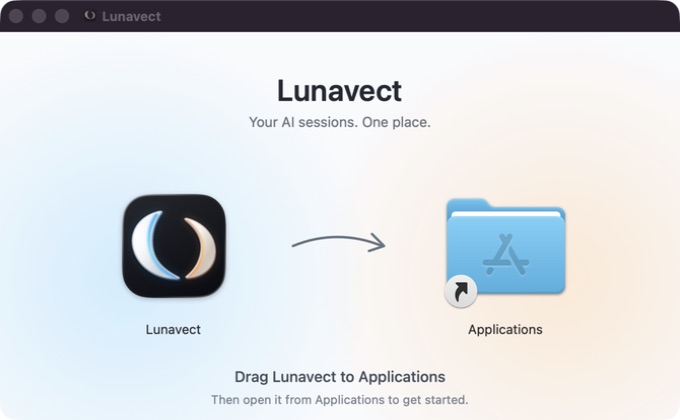
The installer image was captured directly from the mounted 0.1.3 DMG in Finder on September 14. Its branded layout is unchanged. Obsolete galleries, the retouched desktop image and the unused demo movie have been removed.